🔗 Accessory Connectors
💡
The Smart IoT inputs and outputs are general purpose and can be configured by command. The uses shown are typical examples, but they can be used for any application needed.
🔌
All accessory ports use Microfit female port male 2x2 connector
General Diagram
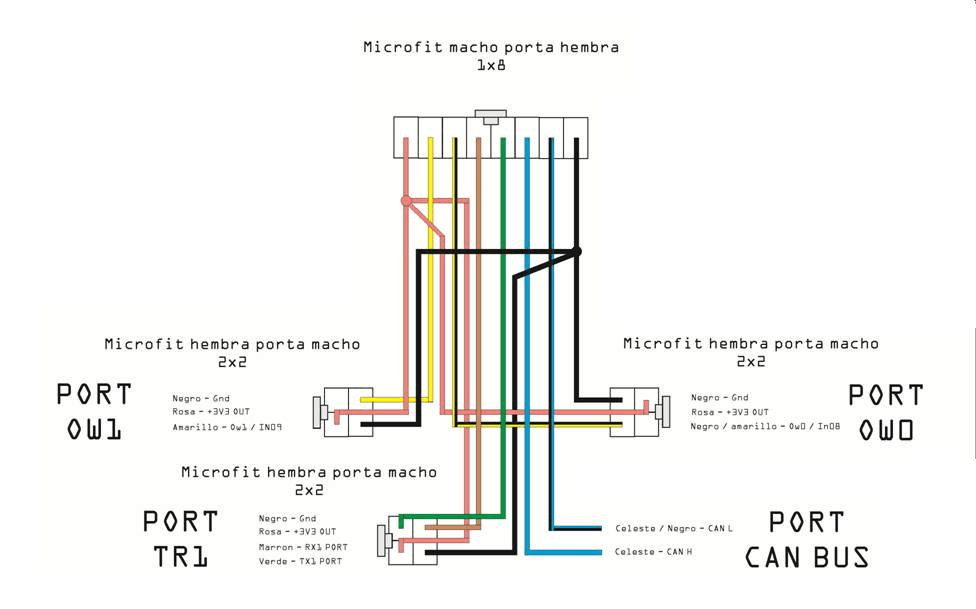
PORT OW0 / OW1 (1-Wire)
Ports for 1-Wire sensors and devices such as iButton and temperature sensors.
Pinout
| Port | Color | Function |
|---|---|---|
| OW0 | Black | GND |
| OW0 | Pink | +3V3 OUT |
| OW0 | Black/Yellow | OW0 / IN08 |
| Port | Color | Function |
|---|---|---|
| OW1 | Black | GND |
| OW1 | Pink | +3V3 OUT |
| OW1 | Yellow | OW1 / IN09 |
Typical Connections
🔑 iButton
iButton key reader:
| iButton Reader | Smart IoT | |
|---|---|---|
| DATA | → | OW0 or OW1 |
| GND | → | GND |
💡
iButton is commonly used for driver identification. See complete iButton guide.
PORT TR1
🚧
Reserved port — This port is reserved for future use and should not be used currently.
PORT CAN BUS
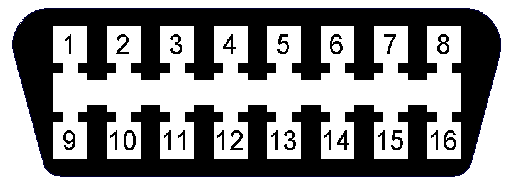
CAN Bus interface for reading vehicle data (ECU, OBD-II).
Pinout
| Color | Function |
|---|---|
| Light Blue/Black | CAN L (Low) |
| Light Blue | CAN H (High) |
Connections
🔌 Direct ECU
Direct connection to vehicle ECU:
| Vehicle ECU | Smart IoT | Color | |
|---|---|---|---|
| CAN-H | → | CANH | Light Blue |
| CAN-L | → | CANL | Light Blue/Black |
⚠️
Verify the CAN connector location in the vehicle manual.
Port Summary
🌡️
OW0 / OW11-Wire: iButton, temperature
🔒
TR1Reserved
🚗
CAN BUSVehicle data
Last updated