🌡️ Digital Temperature Sensor
1-Wire temperature sensor connection guide for the Smart IoT.
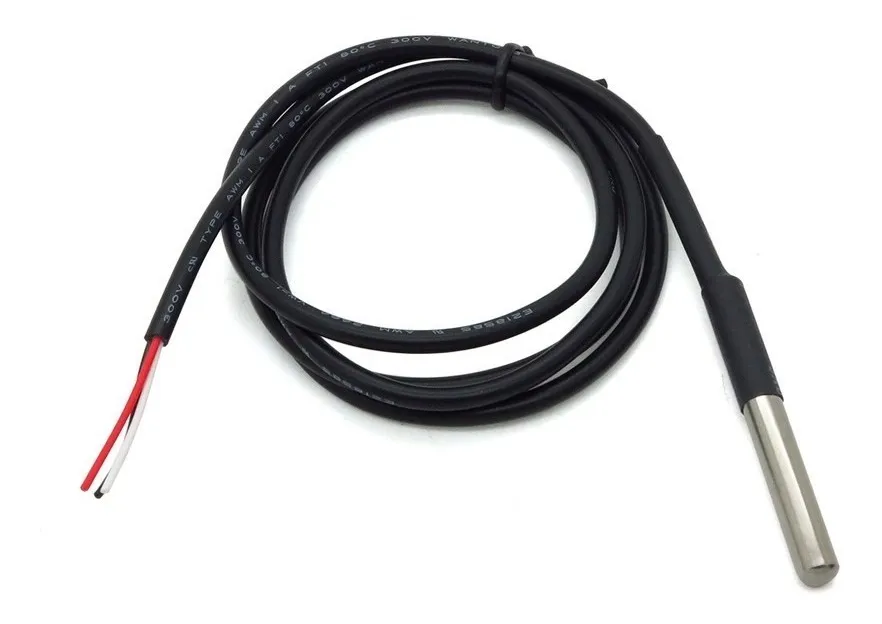
📋 Description
This accessory is widely required in applications where cold chain control of a product being transported is needed.
Rinho incorporates the DS18B20 digital temperature sensor from Dallas, avoiding failures and calibration processes of analog sensors.
🔧 Technical Specifications
| Feature | Value |
|---|---|
| Model | DS18B20 (Dallas) |
| Protocol | 1-Wire (One Wire) |
| Accuracy | ±0.5°C |
| Range | -55°C to +125°C |
| Max. bus distance | 15 meters |
| Supported sensors | Up to 8 sensors (daisy chain) |
🔌 Connection
Connect to port OW0 or OW1 of the accessories connector:
| DS18B20 | Smart IoT |
|---|---|
| VCC (red) | +3V3 OUT |
| DATA (yellow) | OW0 or OW1 |
| GND (black) | GND |
💡
Multiple DS18B20 sensors can be connected on the same 1-Wire bus (daisy chain).
⚠️ Installation Considerations
| Aspect | Recommendation |
|---|---|
| Cable | Shielded (shield + 2 conductors) |
| Maximum distance | 15 meters |
| Multiple connection | In daisy chain |
| Protection | Avoid direct exposure to moisture |
📡 Related Commands
| Command | Function |
|---|---|
| DT | Read temperature value |
| DT IoT | Read multiple sensors (IoT) |
| AR | Create temperature trigger thresholds |
📊 Compatible Reports
Temperature value can be included in these report formats:
| Report | Description |
|---|---|
| IB | Applied report with temperature |
| CR | Extended report with temperature |
See Also
- Accessories Connectors - 1-Wire ports diagram
- iButton Keys - Another 1-Wire accessory
- Hardware (DIP Switch) - Hardware configuration
Last updated