DIP Switch - Spider IoT (HW ≤3.4)
The Spider IoT v3.4 has a 2-position DIP switch to configure the CAN bus.
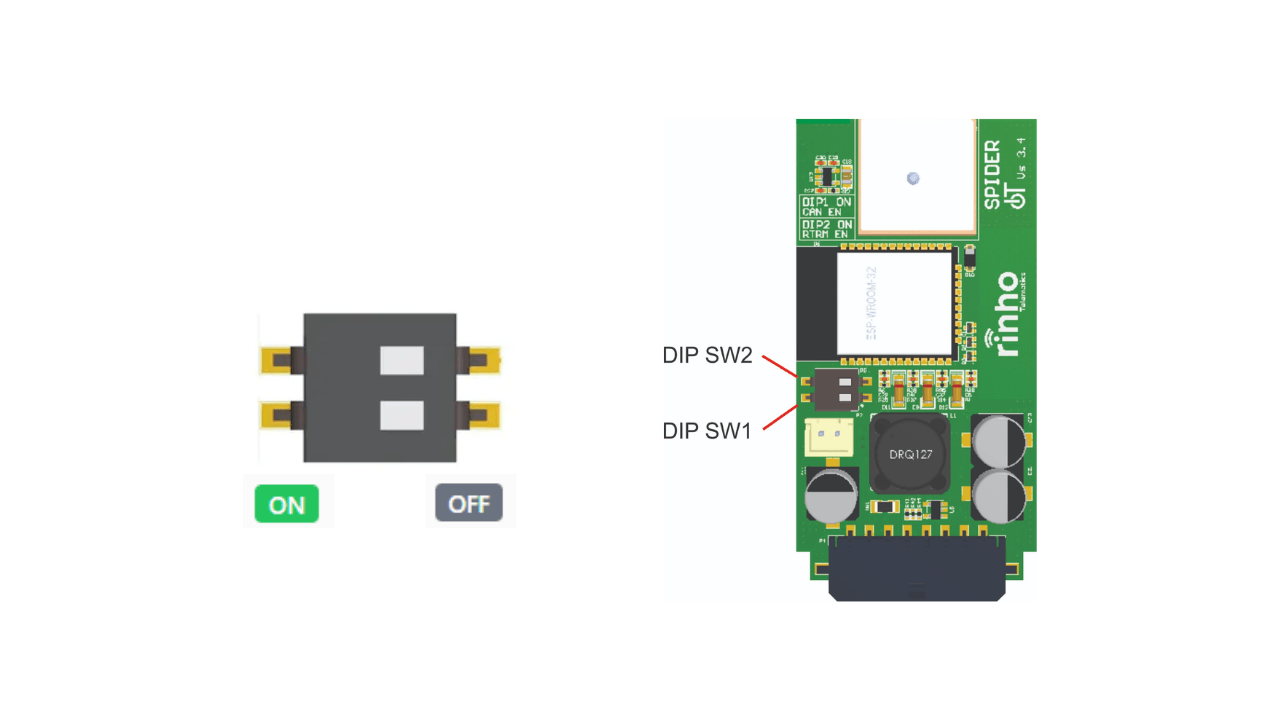
Quick Reference
| DIP 1 | DIP 2 | Configuration |
|---|---|---|
| OFF | OFF | CAN bus disabled |
| ON | OFF | CAN bus enabled (no termination) |
| ON | ON | CAN bus enabled + 120Ω termination |
Switch Details
| Switch | ON | OFF |
|---|---|---|
| DIP 1 | Enables CAN bus hardware | CAN bus disabled |
| DIP 2 | 120Ω termination active | No termination |
Activate termination only if the device is at one end of the CAN bus.
Important Notes
| Aspect | Detail |
|---|---|
| CAN bus | Disable during initial installation |
| Termination | Only activate at bus ends |
Jumpers (R36 / R31)
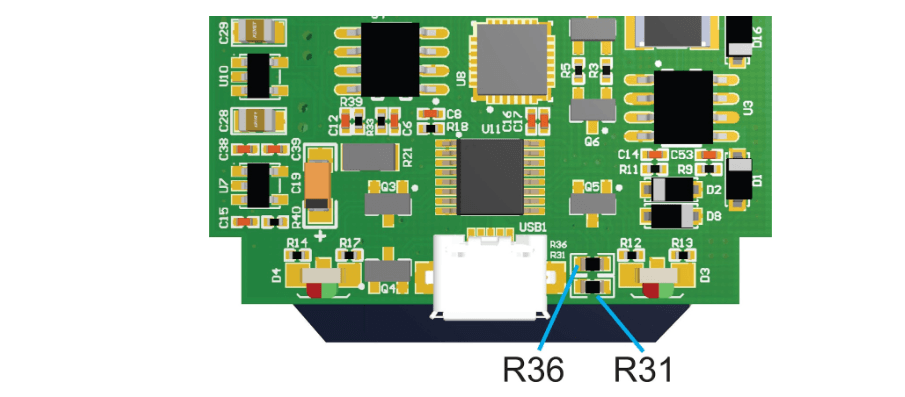
| Jumper | Function |
|---|---|
| R36 | IN00/XP02 enabled (Standard) |
| R31 | 3V3 output enabled on IN00/XP2 bus |
Only one configuration can be active at a time.
See Also
- Spider IoT Hardware v3.5+ - Newer versions
- Spider IoT - Installation - Installation guide
- CAN Commands - Software configuration
Last updated